> For the complete documentation index, see [llms.txt](https://docs.greytrix.com/llms.txt). Markdown versions of documentation pages are available by appending `.md` to page URLs; this page is available as [Markdown](https://docs.greytrix.com/gumu-tm-for-sage-300-integration/amazon/gumu-tm-portal-user/required-configurations/integration-configuration.md).

# Integration Configuration

<mark style="color:$danger;">**Configuration of GUMU™ Integration connector:**</mark>

**Integration configurator** – In this setting page, user will need to set the default connector setting which will be used by the connector at the time of integration process. This setting defined in this section will be used by the connector to communicate between the 2 system efficiently.

<figure><img src="/files/R0l753ZnmEFvFgY54xSl" alt=""><figcaption></figcaption></figure>

<table data-header-hidden="false" data-header-sticky data-full-width="true"><thead><tr><th width="174.66668701171875">Field</th><th>Description</th></tr></thead><tbody><tr><td><strong>Connector Name</strong></td><td>A unique identifier for the integration setup.<br>This name helps distinguish multiple connectors (e.g., Amazon-US, Amazon-UK) within the system and is used for tracking, logging, and configuration management.</td></tr><tr><td><strong>CustomerNumber</strong></td><td>Specifies the Customer Account in Sage 300c to which Amazon orders will be mapped. This can be set as a default customer, or configured to auto-increment for each order to create a new customer record in Sage 300c.</td></tr><tr><td><strong>ShipToLocationKey</strong></td><td><p>Defines the <strong>Ship-To Location Code</strong> in Sage 300c.<br>This is used to determine the delivery address mapping for incoming Amazon orders.</p><ul><li>Maps Amazon shipping address → Sage Ship-To location</li><li>Required when multiple ship-to addresses exist for a customer</li></ul></td></tr><tr><td><strong>GroupCode</strong></td><td><p>Represents the <strong>Customer Group</strong> in Sage 300c.<br>Used for classification and applying:</p><ul><li>Pricing rules</li><li>Discounts</li><li>Reporting segmentation</li></ul></td></tr><tr><td><strong>TaxGroup</strong></td><td><p>Defines the <strong>Tax Group</strong> applied to the order in Sage 300c.<br>This controls how taxes are calculated during order creation.</p><ul><li>Maps Amazon tax details → Sage tax configuration</li><li>Ensures compliance with regional tax rules</li></ul></td></tr><tr><td><strong>OrderNumber</strong></td><td><p>Determines how the <strong>Order Number</strong> is generated in Sage 300c.</p><p>Options may include:</p><ul><li>Using Amazon Order ID</li><li>Using Sage auto-numbering</li><li>Applying a prefix/suffix for identification</li></ul></td></tr><tr><td><strong>PriceList</strong></td><td><p>Specifies the <strong>Price List</strong> in Sage 300c used for the order.<br>This controls item pricing when orders are created.</p><ul><li>Can override Amazon pricing if required</li><li>Useful for standardized pricing strategies</li></ul></td></tr><tr><td><strong>CarrierCode</strong></td><td><p>Defines the <strong>Shipping Carrier</strong> in Sage 300c.<br>Maps Amazon shipping carrier information to Sage.</p><ul><li>Used for logistics and fulfillment tracking</li><li>Helps in generating shipment records</li></ul></td></tr><tr><td><strong>Shipping Service</strong></td><td><p>Specifies the <strong>Shipping Method/Service Level</strong>.</p><p>Maps Amazon shipping methods (like Standard, Expedited) to Sage 300c shipping services.</p><ul><li>Ensures correct delivery method is recorded</li><li>Useful for reporting and fulfillment workflows</li></ul></td></tr></tbody></table>

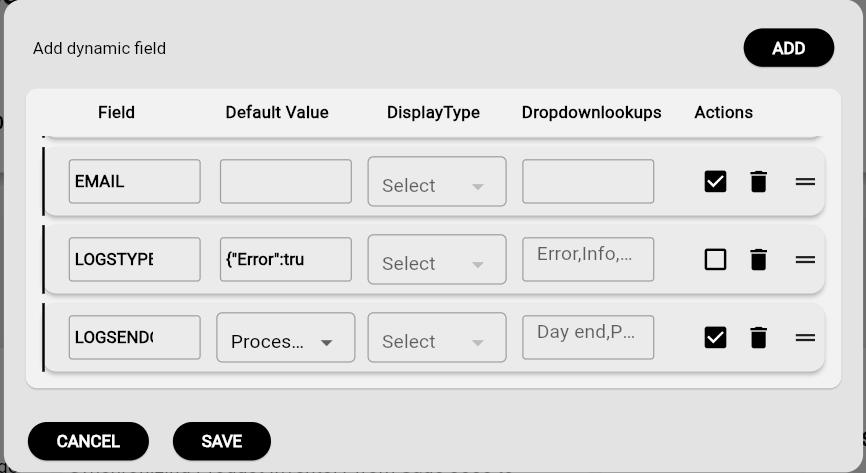
<mark style="color:$danger;">**Customize Integration Configuration for your Connector**</mark>

You can configure the integration settings based on your business requirements and system setup to ensure smooth data synchronization between the connected systems.

<figure><img src="/files/RZEBoPeJ6D1rNXf1m2Qw" alt=""><figcaption></figcaption></figure>

<figure><img src="/files/xqznTMFXOzlTZl4Kawzm" alt=""><figcaption></figcaption></figure>