# Address Creation and Promotion

To promote an Address the Account should be promoted or linked to Sage X3.

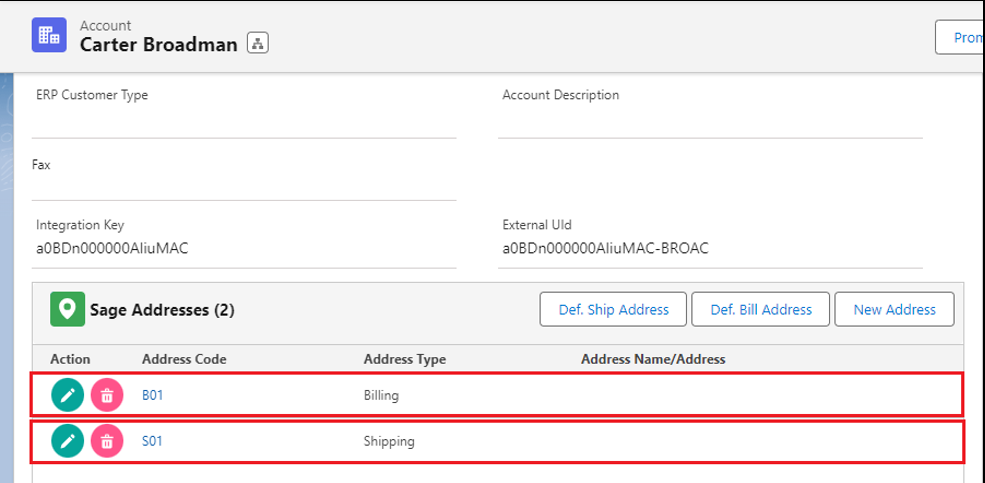
1. Creating the Shipping/Billing Address while promoting the Account is mandatory.
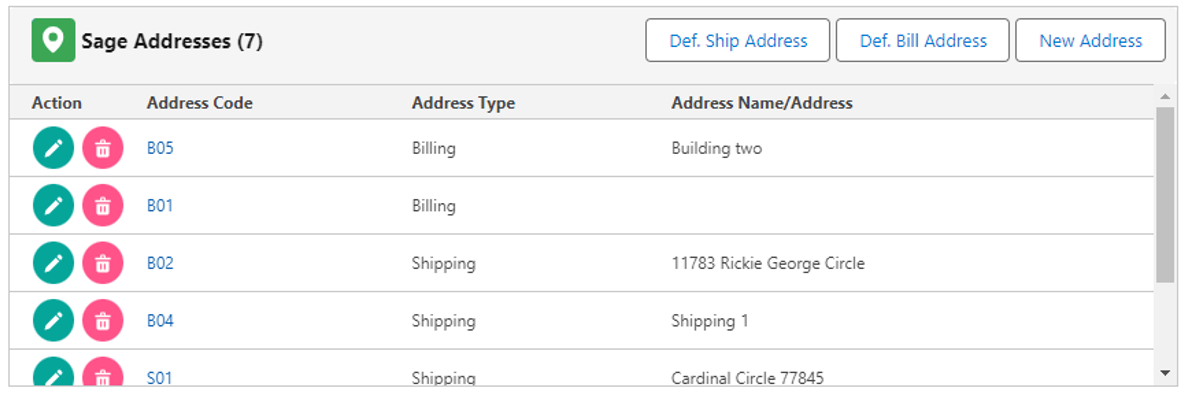
2. Once completed with promoting the Account, then it gets automatically promoted to Sage X3. As shown in the below image B01 and S01 are the promoted Addresses.

<figure><img src="https://794987320-files.gitbook.io/~/files/v0/b/gitbook-x-prod.appspot.com/o/spaces%2F-MCRVg-TYx3gVa2Tqtf_%2Fuploads%2FyGx7koW4Xc5LgZ07lhar%2Fimage.png?alt=media&#x26;token=7967d4c0-fdb6-4717-87ec-f8ad07e72633" alt=""><figcaption></figcaption></figure>

3. Click the "**New Address**" button, to add an additional Shipping/Billing Address for the Account.

<figure><img src="https://794987320-files.gitbook.io/~/files/v0/b/gitbook-x-prod.appspot.com/o/spaces%2F-MCRVg-TYx3gVa2Tqtf_%2Fuploads%2Fg4ZR35y7ORUpuo2ob6oa%2Fimage.png?alt=media&#x26;token=6613a92a-bb2a-4311-bb9e-6bedf77d9426" alt=""><figcaption></figcaption></figure>

4. Choose the Address Type (Shipping or Billing) from the dropdown menu, ensuring that you change the Address Code to avoid duplication. Complete all the necessary details. In the image above, multiple Shipping and Billing Addresses have been created as examples.

<figure><img src="https://794987320-files.gitbook.io/~/files/v0/b/gitbook-x-prod.appspot.com/o/spaces%2F-MCRVg-TYx3gVa2Tqtf_%2Fuploads%2FbvpuRwDhUtzpII6eq5Ft%2Fimage.png?alt=media&#x26;token=4bbf213b-46f4-4431-ae13-3445ec662ebe" alt=""><figcaption></figcaption></figure>

### <mark style="color:red;">**Address Details**</mark> <a href="#address-details" id="address-details"></a>

<table><thead><tr><th width="276">Field</th><th>Description</th></tr></thead><tbody><tr><td>Address Code</td><td>For easy identification, the Address code should always be unique (two addresses for the Account cannot have same Address Code)</td></tr><tr><td>Is Default Ship-To-Address?</td><td>Do you want this to be the Default Address in Salesforce and Sage</td></tr><tr><td>Address Type</td><td>Is the new Address created a Billing or Shipping address</td></tr><tr><td>Address Name</td><td>Same as the Address Code, Address Name should also be unique</td></tr></tbody></table>

<figure><img src="https://794987320-files.gitbook.io/~/files/v0/b/gitbook-x-prod.appspot.com/o/spaces%2F-MCRVg-TYx3gVa2Tqtf_%2Fuploads%2FSzPJvfSBQqk3rKLPBAZK%2Fimage.png?alt=media&#x26;token=051317b2-8344-4270-885c-eb7a957441c7" alt=""><figcaption><p>B02 - Default Ship-To-Address</p></figcaption></figure>

<figure><img src="https://794987320-files.gitbook.io/~/files/v0/b/gitbook-x-prod.appspot.com/o/spaces%2F-MCRVg-TYx3gVa2Tqtf_%2Fuploads%2FTunCkfYLF02sQGka5dou%2Fimage.png?alt=media&#x26;token=d3604399-2e0c-4457-bb98-714c82008635" alt=""><figcaption><p>Default address in sage X3</p></figcaption></figure>

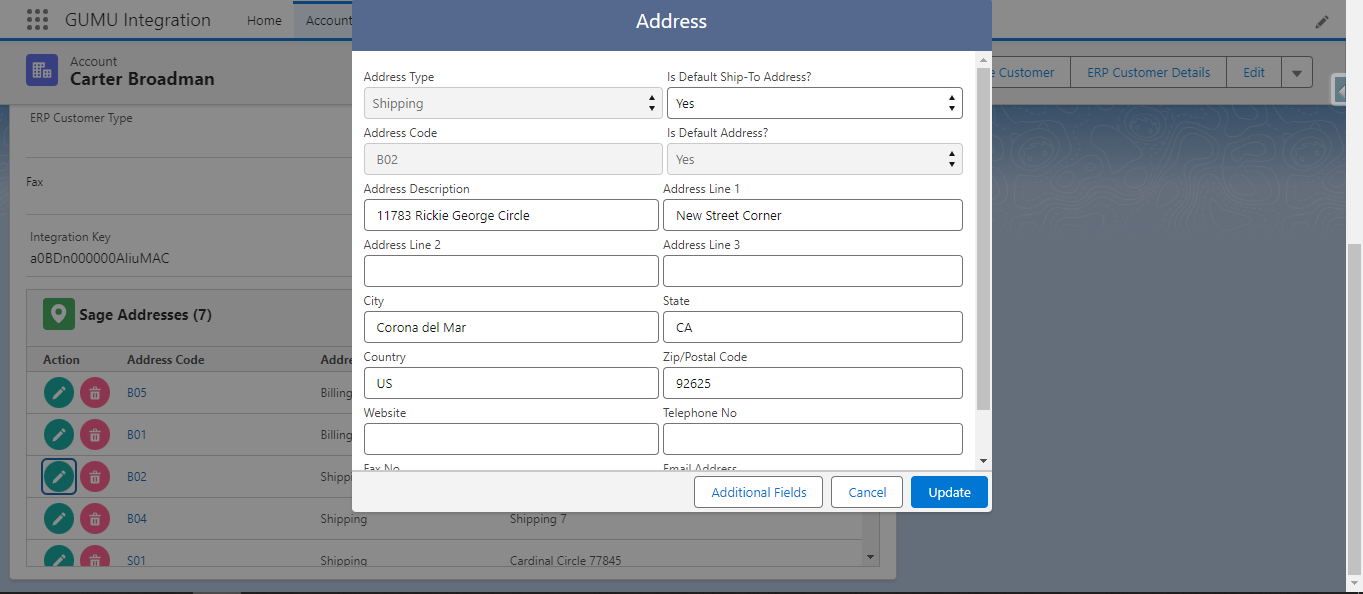
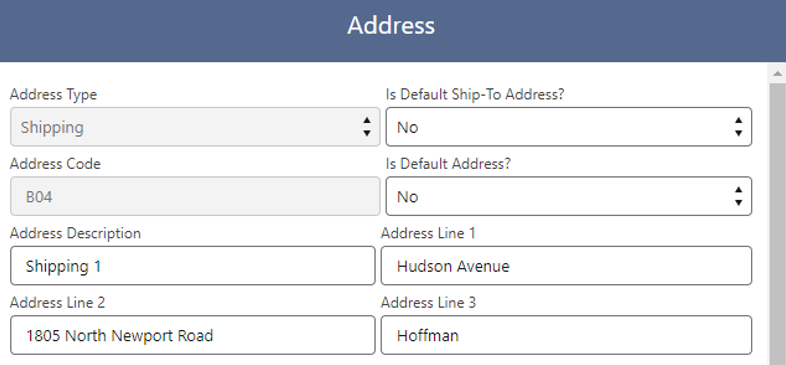
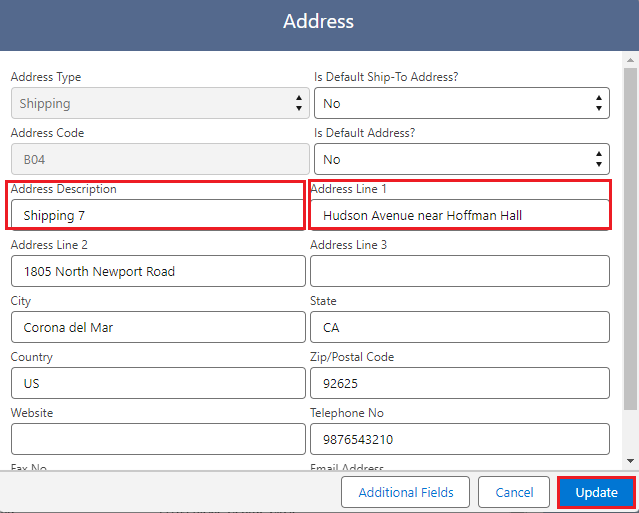
5. To view/edit the promoted shipping address click on the pencil icon under the Action panel to edit (bottom left).

<figure><img src="https://794987320-files.gitbook.io/~/files/v0/b/gitbook-x-prod.appspot.com/o/spaces%2F-MCRVg-TYx3gVa2Tqtf_%2Fuploads%2FJX0c8MZHMEaFZlw51Ruf%2Fimage.png?alt=media&#x26;token=60b6f5c8-8523-4d9d-9197-bb9d56788cb8" alt=""><figcaption></figcaption></figure>

<figure><img src="https://794987320-files.gitbook.io/~/files/v0/b/gitbook-x-prod.appspot.com/o/spaces%2F-MCRVg-TYx3gVa2Tqtf_%2Fuploads%2FcV6WeYveiFExNpjF9RwU%2Fimage.png?alt=media&#x26;token=6ef1c7b1-d0cf-4ceb-84fc-be96c4e2679a" alt=""><figcaption><p>Before updating the address</p></figcaption></figure>

<figure><img src="https://794987320-files.gitbook.io/~/files/v0/b/gitbook-x-prod.appspot.com/o/spaces%2F-MCRVg-TYx3gVa2Tqtf_%2Fuploads%2Fspct3UzDi6asHGLqLVWl%2Fimage.png?alt=media&#x26;token=b12da239-6542-4545-b23d-a7fff4c87434" alt=""><figcaption></figcaption></figure>

6. After making the updates, let's review the changes in Sage X3 to gain a clearer understanding of the real-time adjustments.

<figure><img src="https://794987320-files.gitbook.io/~/files/v0/b/gitbook-x-prod.appspot.com/o/spaces%2F-MCRVg-TYx3gVa2Tqtf_%2Fuploads%2FLvIEbvcBcM9FDqyaqvv7%2Fimage.png?alt=media&#x26;token=86d99429-0ff5-4d92-bf9f-a20fa7c83eb8" alt=""><figcaption><p>Updated address in Sage X3</p></figcaption></figure>