> For the complete documentation index, see [llms.txt](https://docs.greytrix.com/llms.txt). Markdown versions of documentation pages are available by appending `.md` to page URLs; this page is available as [Markdown](https://docs.greytrix.com/gumu-salesforce-integration/sage-intacct/gumu-tm-integration/create-and-promote-opportunity-as-sales-invoice.md).
# Create and Promote Opportunity as Sales Invoice
1. Create an Opportunity for the Account.
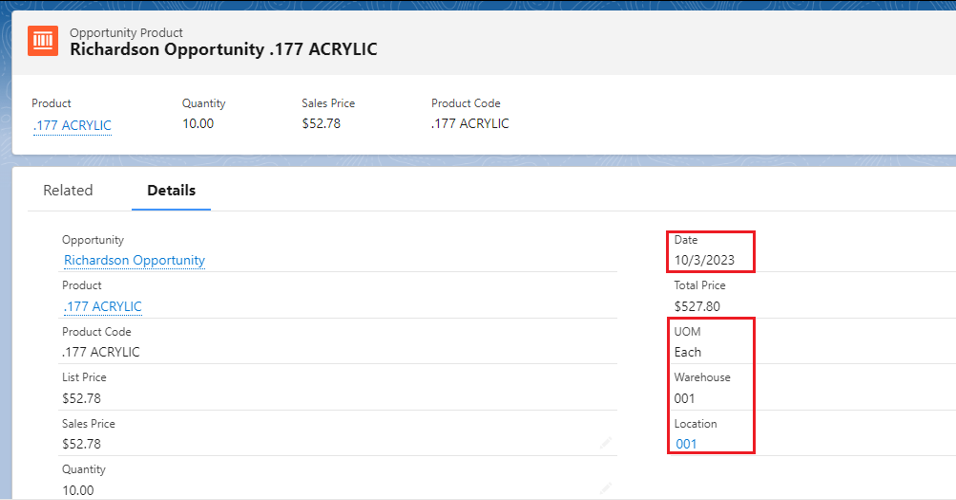
2. Add a product in the Opportunity and provide necessary product details such as quantity, and line description, and in the Opportunity Product layout add details for unit of measure (UOM), warehouse, Due Date, and location.
3. To convert the Opportunity into a Sales Invoice and promote it to the ERP system, just select the "Sales Invoice Promotion" button. Upon promoting the Opportunity as a Sales Invoice on the details tab, a Sales Invoice number will be generated.
5. To view the Sales Invoice in Sage, navigate to the Order Entry module->Invoice->Sales Invoice.
6. Below the “Document Number” field, type the invoice number that has been generated and the following screen will appear.
In such a method, the user can promote an opportunity as a Sales Invoice.