> For the complete documentation index, see [llms.txt](https://docs.greytrix.com/llms.txt). Markdown versions of documentation pages are available by appending `.md` to page URLs; this page is available as [Markdown](https://docs.greytrix.com/gumu-sage-crm-integration/sage-x3/user-guide/working-with-orders-quotes/promoting-order-from-sage-crm-to-sage-x3.md).
# Promoting Order from Sage CRM to Sage X3
To promote an order from Sage CRM to Sage X3:-
1. Select the Customer for which you want to create an order.
2. Click on Newàorder for that customer.
3. Select the Sales site and Shipment site for that order.\
Note: - Kindly select the correct Tax Rule Value
4. Save the order header information.
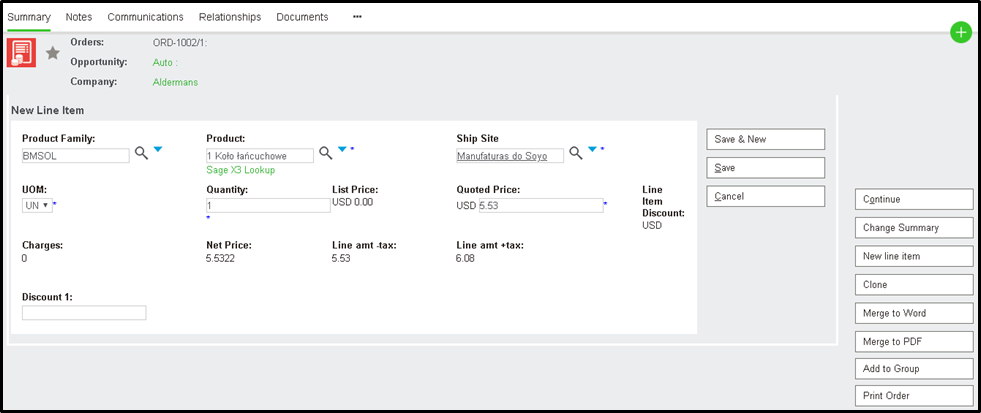
5. Click on the Add New Line Item button to add the line Item.
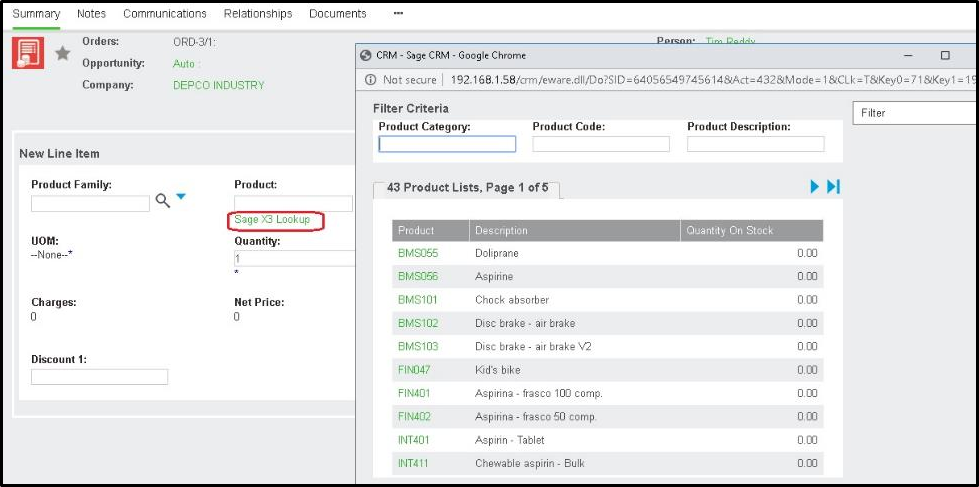
6. Click on the Sage X3 lookup link to select the line Item. This page displays information on a real-time basis directly from the Sage X3.
7. Once the line Item is selected, it will check if that selected product exists on the ship site or not. If exits, then it will load the Base price of that product accordingly. If it is customer base pricing then it will load as per Sage X3.
8. Once the line Item is added, the user will be able to see Promote button in the action menu button list.
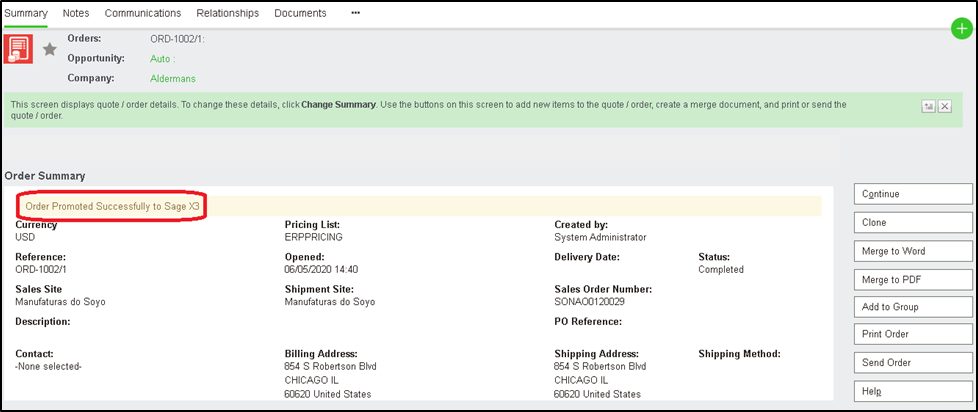
9. The user can click on that button to promote that order from Sage CRM to Sage X3.
10. Once the order is promoted, the user cannot edit that order from Sage CRM. The user can then keep track of that promoted order from the Order Inquiry tab.