> For the complete documentation index, see [llms.txt](https://docs.greytrix.com/llms.txt). Markdown versions of documentation pages are available by appending `.md` to page URLs; this page is available as [Markdown](https://docs.greytrix.com/gumu-sage-crm-integration/sage-x3/user-guide/working-with-customers/viewing-additional-customer-info-for-a-customer.md).
# Viewing additional Customer info for a Customer
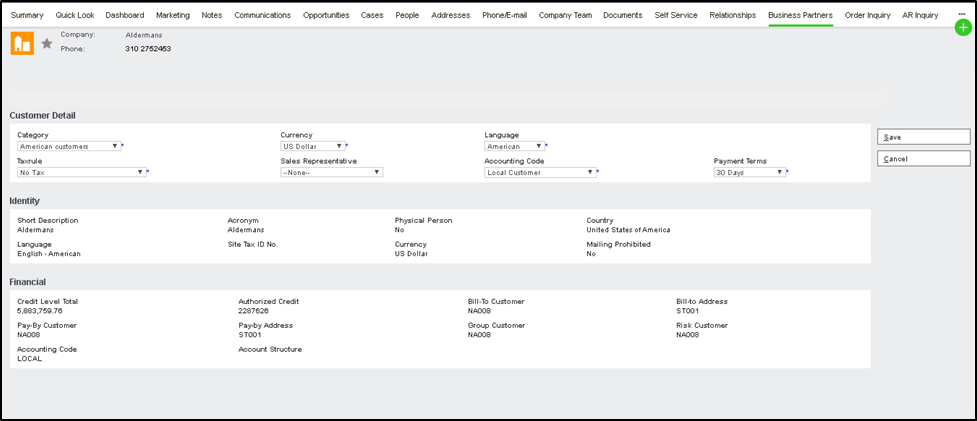
To view additional customer information:-
1. Select the Customer for which you want to view additional customer information.
2. Click on the Business Partners tab.
3. All this information gets displayed on a real-time basis directly from the Sage X3.
4. There will be 3 panels. Customer details, Identity Details, Financial.
5. Apart from the 3-panel user can edit information from the first panel by clicking on the Change button.