> For the complete documentation index, see [llms.txt](https://docs.greytrix.com/llms.txt). Markdown versions of documentation pages are available by appending `.md` to page URLs; this page is available as [Markdown](https://docs.greytrix.com/gumu-sage-crm-integration/sage-x3/user-guide/sage-crm-side-gumu-administration/link-business-partners.md).
# Link Business Partners
Using this feature, the user can link multiple companies of Sage CRM (which does not exist in Sage X3) with Sage X3 Customers. On the basis of field mapping, the user can link the Sage CRM Company with Sage X3 Customer using the Auto Link and Manual Link criteria.
Auto-Link: - Using this feature user can link multiple Sage CRM companies with Sage X3 Customers at a time that are not linked with each other. It will display only those records which are not linked with Sage X3. Refer to the below screenshot. The user can link the records by clicking on the Link Company button.
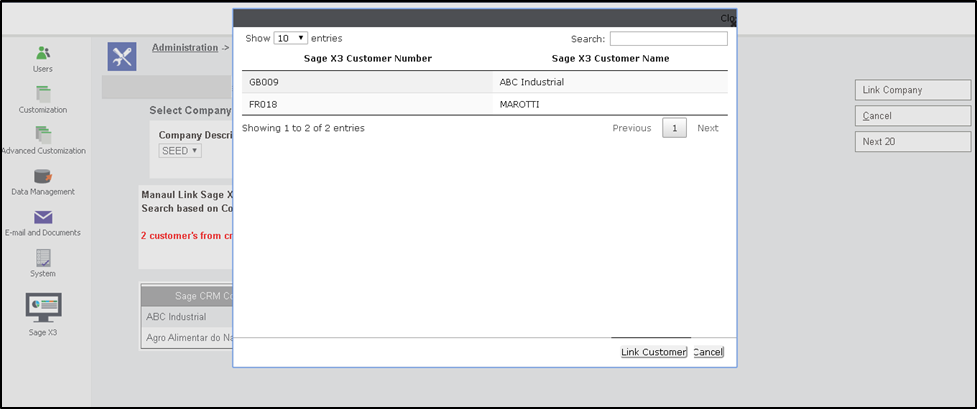
Manual Link: - Using this feature, the user can link multiple Sage CRM companies with Sage X3 Customers at a time that are not linked with Sage X3 Customers. The user can link any Sage CRM company with Sage X3 Customer. If the user wants to link Sage CRM Company with Sage X3 customer then the user will have to click on search which will open a new window. The new window will display those Sage X3 Customers which are not linked with Sage CRM. The user can select and click on Link Customer. Refer to the below screenshot. The user can link the records by clicking on the Link Company button.