> For the complete documentation index, see [llms.txt](https://docs.greytrix.com/llms.txt). Markdown versions of documentation pages are available by appending `.md` to page URLs; this page is available as [Markdown](https://docs.greytrix.com/gumu-sage-crm-integration/sage-x3/user-guide/sage-crm-side-gumu-administration/folder-level-user-setting.md).
# Folder Level User Setting
The system administrator of Sage CRM can provide Sage X3 folder-wise restrictive access to Sage X3 integrated data to all the Sage CRM users. He can decide whether to allow/deny Sage X3 integrates data access to a particular CRM user for a particular Sage X3 folder. There are below rights that Sage CRM system administrator can provide to CRM users.
1. View Customer Info
2. View AR Inquiries
3. View Order Inquiries
4. Promote Customer
5. Promote Sales Order
Also, the System administrator can provide the CRM user with the facility to choose their preferable Language in which they want to view the details.
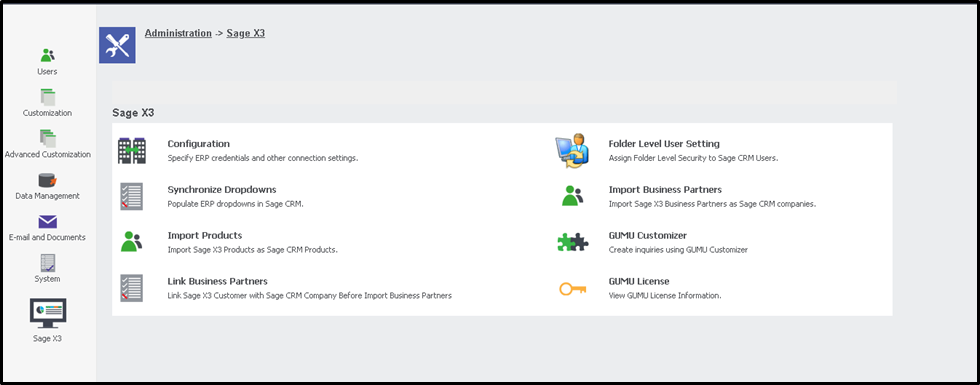
Sage CRM System Admin user can access this setting by navigating through the below path in Sage CRM, Administration-> Sage X3-> Folder Level User Settings
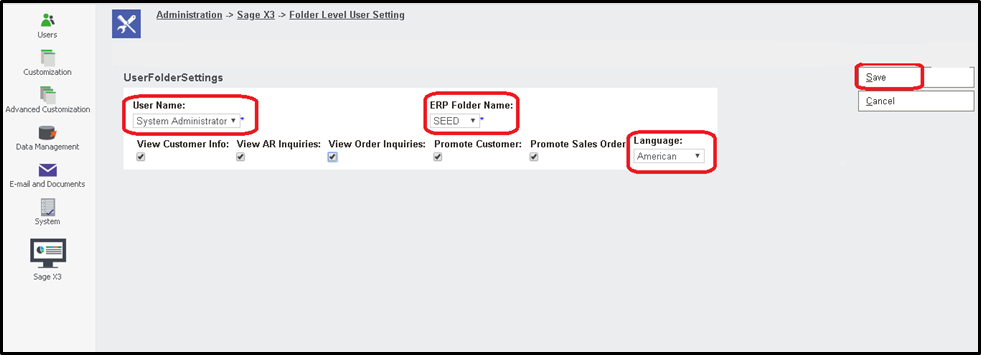
As shown in the below screenshot on click of Add New button, the admin user can assign permission to CRM users as per folder.
In the below screenshot, permission is assigned to the System Administrator user for the SEED folder.
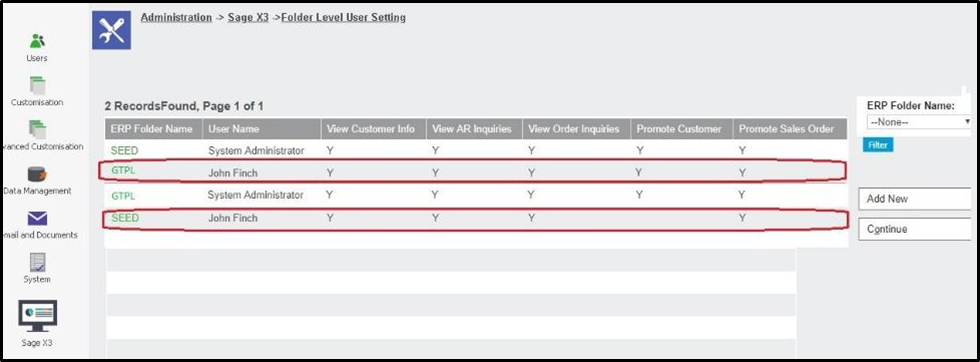
In below another screenshot, for the user, John Finch all the rights are given for folder GTPL, and for the same user only view customers, view AR inquiries, and promote Sales order rights are given for the SEED folder which means he can access all the activities related to folder GTPL but he can access only view customer, AR inquiry and Promote Sales order for SEED folder.
Also, if the user wants to change the settings which are already assigned to any Sage CRM user then just by clicking on Username in the grid System administrator can edit it.