> For the complete documentation index, see [llms.txt](https://docs.greytrix.com/llms.txt). Markdown versions of documentation pages are available by appending `.md` to page URLs; this page is available as [Markdown](https://docs.greytrix.com/gumu-sage-crm-integration/sage-intacct/user-guide/working-with-customers/viewing-all-the-list-of-ar-invoices-for-a-customer.md).
# Viewing all the List of AR Invoices for a Customer
#### To view AR Invoices for a customer:-
1. Select Customer for which you want to view AR Invoices.
2. Click on **AR Inquiry** tab to view all the list of invoices created for this customers.
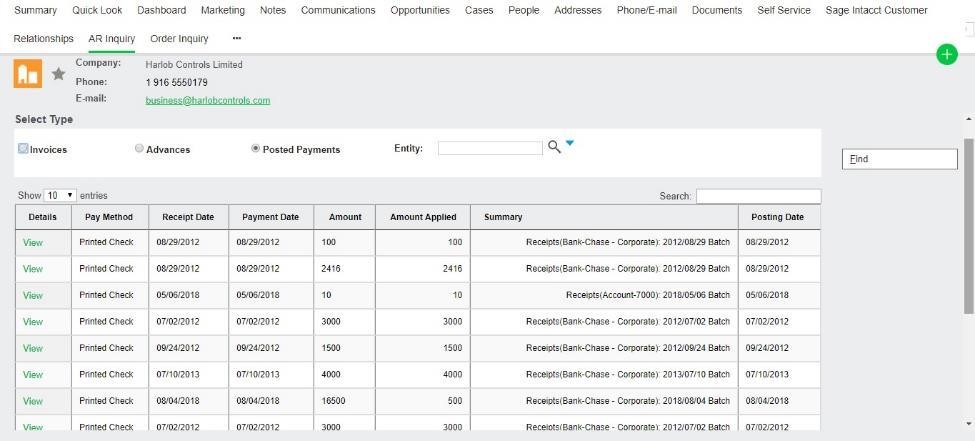
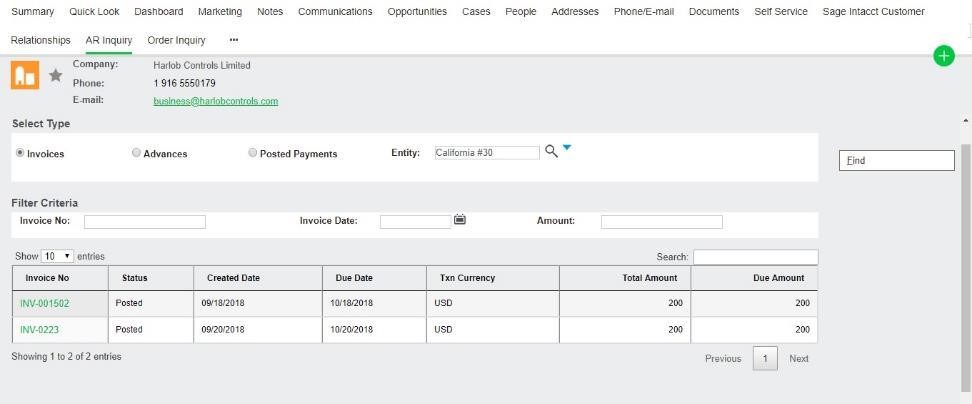
3. Click on AR Inquiry tab to view all the list of Invoices created for this customers. User can filter Invoices as per Entity wise along with their type’s i.e. Invoices, Advance Payment and Post Payment by using radio button.
4. All this information gets displayed on real time basis directly from the Sage Intacct.
5. User can filter this information by using document number, order date and Amount.
6. User can drill down further to view AR details and line item details for a particular Invoice.
**Advance Payment Invoices**
**Post Payment Invoices**
#### Filter as per Entity (for all Invoices, Advances and Post Payments)